UNITED STATES
Skill Architecture Through a File Analysis Skill
Published: 2026.06.17
Modern agent architecture—for example, structures proposed by Microsoft Agent Framework and Anthropic Claude—connects different skills through a mechanism called Progressive Disclosure.
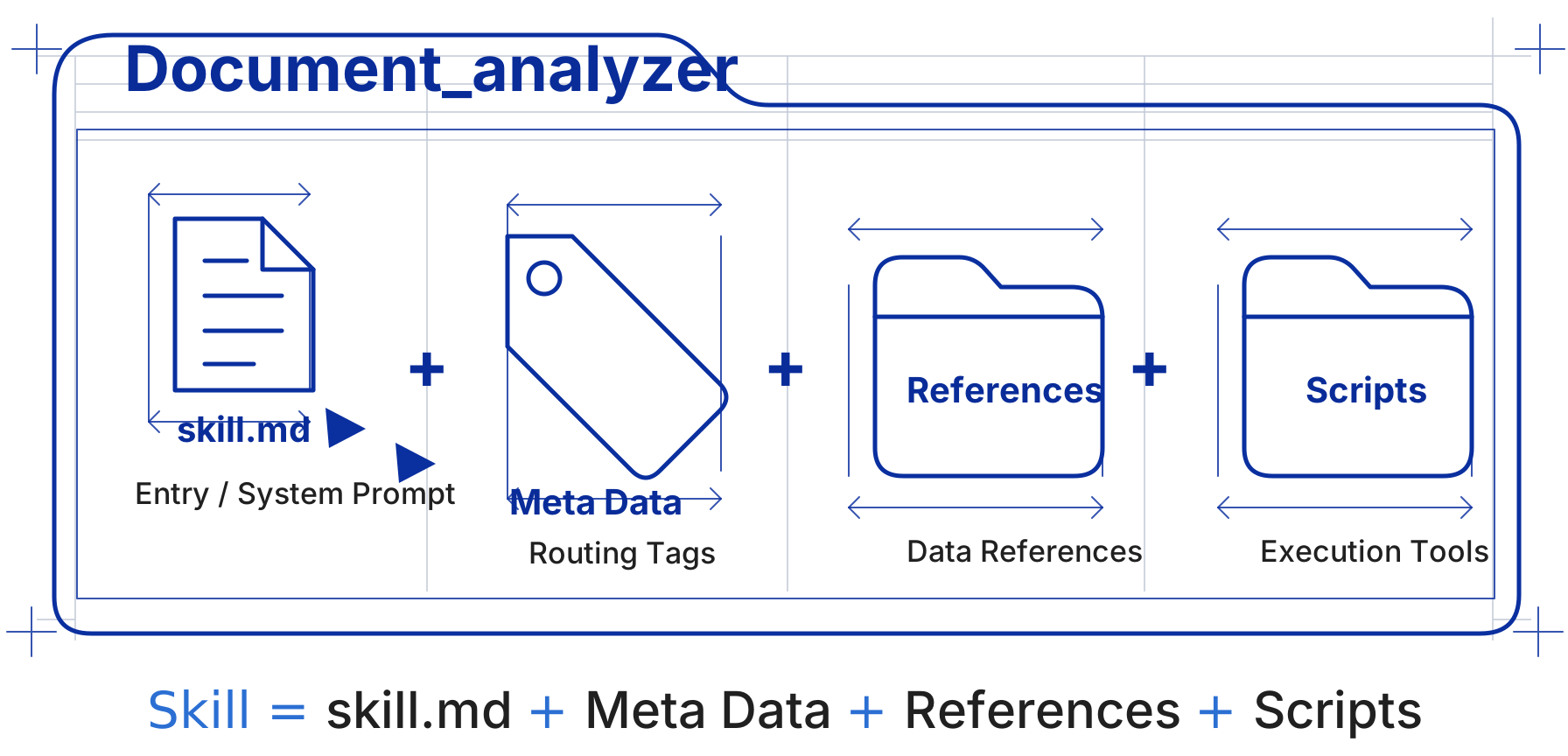
1. Startup and Matching: the Metadata Layer
When an agent starts, the system loads only the metadata for all available skills into the global system prompt. At this point, the agent knows which skills are available, but it does not load their full contents. Token usage stays very low—about 30 tokens per skill.
Metadata includes:
- Skill name
- Version number
- A short description explaining what the skill can do
- Scenario tags that describe when the skill applies
2. Triggering and Loading: the System Prompt / SKILL.md Layer
When the user enters a query, or User Prompt, the agent selects a skill through semantic matching or intent recognition—for example, a PDF processing skill. Only then is that skill’s full SKILL.md, including complete system instructions and workflow guidance, injected into the context window.
The system prompt includes:
- Persona or role definition
- Output format requirements
- Basic constraints and safety boundaries
- Coordination rules for working with other skills
The user prompt includes:
- The concrete task input that triggers the skill
- Usually a
{{user_input}}placeholder for dynamic substitution
3. Invocation and Execution: the References & Scripts Layer
After the agent understands the detailed operating steps, it follows the guidance in SKILL.md and uses pre-authorized tools to complete the task.
| Component | Description |
|---|---|
| References | Format templates such as Markdown or JSON, reference guides, and domain-specific terminology documents |
| Scripts | Deterministic logic scripts, such as Python or Bash, that offload heavy computation or system-level operations to an external runtime |
For example, a routing pattern might assign the agent to run python scripts/analyzer.py and process the data according to a template file.
4. Feedback and Iteration
The script execution result returns to the large language model (LLM). The agent reads that output and continues reasoning through the next step until the user’s task is complete.
Example: a File Analysis Skill
| Layer | Example Content |
|---|---|
| Metadata | name: analyzer, desc: analyze log files in the target directory and generate a report |
| System prompt | Set the role as “senior data analyst” and require strict JSON output |
| References | Provide a TEMPLATE.md file to standardize the report format |
| Script | Provide an analyzer.py Python script for reading local logs |
| Connection mechanism | The agent receives the user command → triggers the analyzer skill → loads detailed instructions → runs analyzer.py → fills the result into TEMPLATE.md for output |
Further Reading
If you want to explore the underlying runtime mechanism and implementation details, read Claude Agent Skills: A Deep Dive.